
Savvy Savers
savvysavers.com.au · set in Open Sans
Save1Unofficial A style guide made by SiteStyleGuide from gimp.org’s public web pages. Not affiliated with or endorsed by GIMP. The real site is gimp.org ↗

Unofficial style guide
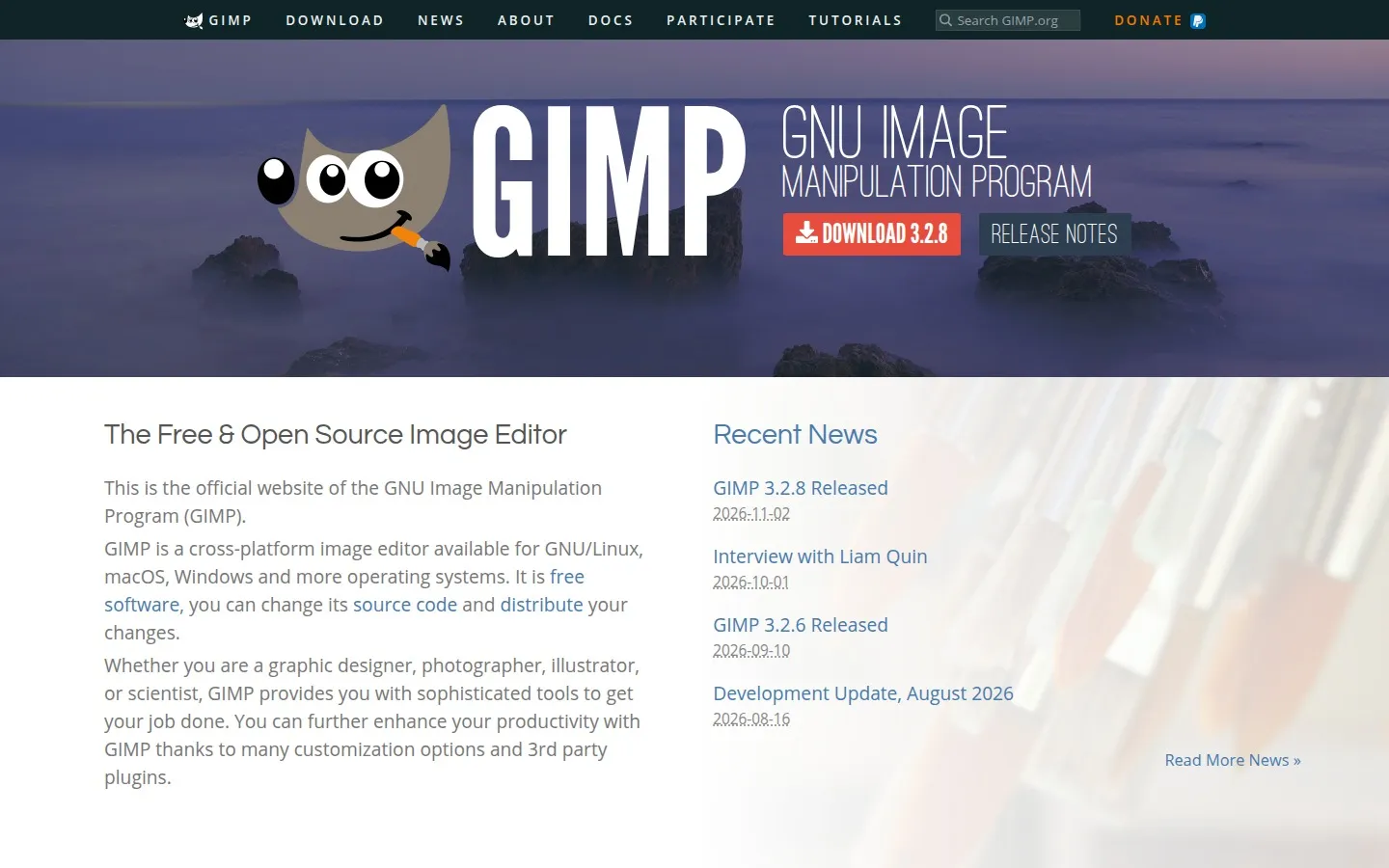
GIMP’s website (gimp.org) sets its headings in Questrial and its body text in Open Sans. Its palette is led by Light Steel Blue (#497BAD), Dark Orange (#F57900) and Deep Steel Blue (#0070BA), with #555555 text on #FFFFFF. Captured from the live site on 11 November 2026.
Identity & metadata
What browsers, search engines and social cards show before anyone reaches the page, from the homepage’s <head>.
In search results
 GIMPhttps://www.gimp.org/
GIMP - GNU Image Manipulation Program
When shared

gimp.org
GIMP
GIMP - The GNU Image Manipulation Program: The Free and Open Source Image Editor
Logo & favicons
Found as: SVG in the header. SVG.
On white
On black
On Light Steel Blue
32 px · PNG
icon
GIMP - GNU Image Manipulation Program
Light browser tab
GIMP - GNU Image Manipulation Program
Dark browser tab
Colour
Read from the site’s stylesheets and weighted by where each colour is used. Names are the nearest standard colour name. Click a swatch to copy its hex code.
Contrast is against the site’s text colour (#555555) and white, using WCAG 2 ratios: 4.5 for body text, 3 for large text.
By how often each colour appears in the site’s CSS, weighted by where (body, headings, buttons), not by area on the screen.
Background, text, border · body, header
Text, border · body, .circle
Background · nav#menu, #menu ul
Text, border, background · .tipue_search_content_title a, .liberapay-button
Text, background · .button, .tipue_search_content_title > a
Text, background · .download-button, .secondary-links ul a
Background · nav#menu .donate-type .icon
Text · #tipue_search_warning a, .tipue_search_content_url a
linear-gradient(rgba(44,52,80,0.5), rgba(44,62,80,0.5))
Dark Slate Blue
#364153 · --dark-strong-border-color
Off White
#F1F5F9 · --dark-text-color
Cool Near Black
#0E2426 · --dark-bg-color
Cool Charcoal
#1C3234 · --dark-surface-color
Cool Near Black
#081517 · --dark-bar-color
Cool Grey
#99A1AF · --dark-secondary-text-color
Light Sky Blue
#90C2FF · --dark-link-color
Light Grey
#C0C0C0
Typography
Faces from Google Fonts are shown in the real thing. Others are licensed to the site, so they show in your device’s copy if you have one, or a stand-in if not.
Open Sans
Self-hosted · weights 100, 300, 400, 600, 700 · body · shown in a stand-in if you don’t have it
Questrial
Self-hosted · weights 400 · headings, buttons · shown in a stand-in if you don’t have it
League Gothic
Self-hosted · weights 400 · headings, buttons · shown in a stand-in if you don’t have it
CC
Self-hosted · weights 400 · shown in a stand-in if you don’t have it
ABCDEFGHIJKLMNOPQRSTUVWXYZ
abcdefghijklmnopqrstuvwxyz
0123456789 ! ? & @ % $ – ’ “ ”
GIMP
GIMP - GNU Image Manipulation Program
GIMP - GNU Image Manipulation Program
GIMP - GNU Image Manipulation Program
GIMP - GNU Image Manipulation Program
GIMP - GNU Image Manipulation Program
The quick brown fox jumps over the lazy dog.
Read more about GIMP
Elements
The main button and link as the site’s CSS draws them, and the corner radii and shadows it uses most.
Button
.button · #497BAD · radius 3px
Link
a · #497BAD
Corner radius
Shadows
Layout
Breakpoints from the site’s media queries and the widths its content is held to, with how often each appears.
Breakpoints
On a scale of 0 to 1440 px.
Content widths (max-width)
Notes
Plain checks on what was found. Worth fixing if you look after this site.
Questions
Quick answers, from the same capture as the rest of this guide.
Design tokens
Everything above as CSS variables, ready to paste into a project. Members can download the tokens as files for Figma (Tokens Studio), Style Dictionary and Tailwind.
/* gimp.org design tokens, from SiteStyleGuide (https://sitestyleguide.com/gimp.org) */
:root {
  /* Colours */
  --text: #555555;
  --background: #FFFFFF;
  --colour-white: #FFFFFF;
  --colour-dark-grey: #555555;
  --colour-cool-near-black: #0E2426;
  --colour-charcoal: #333333;
  --colour-light-steel-blue: #497BAD;
  --colour-dark-orange: #F57900;
  --colour-deep-steel-blue: #0070BA;
  --colour-sea-green: #339966;
  --gradient-1: linear-gradient(rgba(44,52,80,0.5), rgba(44,62,80,0.5));

  /* Typefaces */
  --font-body: 'Open Sans', sans-serif;
  --font-headings: 'Questrial';
  --font-buttons: 'Questrial';
  --font-other: 'CC';

  /* Type scale */
  --text-h1: 1.7rem;
  --leading-h1: 1.3em;
  --text-h2: 1.4rem;
  --text-h3: 1.2rem;
  --text-small: 80%;
  --text-a: 1.2rem;

  /* Shape */
  --radius-1: 3px;
  --radius-2: 10px;
  --radius-3: 1px;
  --radius-4: 50%;
  --radius-5: 0.3em;

  /* Layout (breakpoints can’t be used in media queries as variables; they’re here for reference) */
  --breakpoint-1: 640px;
  --breakpoint-2: 1024px;
  --breakpoint-3: 1367px;
  --max-width-1: 848px;
  --max-width-2: 650px;
  --max-width-3: 624px;
  --max-width-4: 544px;
  --max-width-5: 480px;
  --max-width-6: 440px;
}
{
    "site": "gimp.org",
    "source": "https://sitestyleguide.com/gimp.org",
    "text": "#555555",
    "background": "#FFFFFF",
    "colours": [
        {
            "name": "White",
            "hex": "#FFFFFF",
            "rgb": [
                255,
                255,
                255
            ]
        },
        {
            "name": "Dark Grey",
            "hex": "#555555",
            "rgb": [
                85,
                85,
                85
            ]
        },
        {
            "name": "Cool Near Black",
            "hex": "#0E2426",
            "rgb": [
                14,
                36,
                38
            ]
        },
        {
            "name": "Charcoal",
            "hex": "#333333",
            "rgb": [
                51,
                51,
                51
            ]
        },
        {
            "name": "Light Steel Blue",
            "hex": "#497BAD",
            "rgb": [
                73,
                123,
                173
            ]
        },
        {
            "name": "Dark Orange",
            "hex": "#F57900",
            "rgb": [
                245,
                121,
                0
            ]
        },
        {
            "name": "Deep Steel Blue",
            "hex": "#0070BA",
            "rgb": [
                0,
                112,
                186
            ]
        },
        {
            "name": "Sea Green",
            "hex": "#339966",
            "rgb": [
                51,
                153,
                102
            ]
        }
    ],
    "fonts": [
        {
            "name": "Open Sans",
            "stack": "'Open Sans', sans-serif",
            "weights": [
                100,
                300,
                400,
                600,
                700
            ],
            "source": "Self-hosted"
        },
        {
            "name": "Questrial",
            "stack": "Questrial",
            "weights": [
                400
            ],
            "source": "Self-hosted"
        },
        {
            "name": "League Gothic",
            "stack": "\"League Gothic\", sans",
            "weights": [
                400
            ],
            "source": "Self-hosted"
        },
        {
            "name": "CC",
            "stack": "'CC'",
            "weights": [
                400
            ],
            "source": "Self-hosted"
        },
        {
            "name": "Ostrich Sans Rounded",
            "stack": "Ostrich Sans Rounded, sans",
            "weights": [
                300
            ],
            "source": "Self-hosted"
        }
    ]
}
Share
Links open each service’s own share page. Nothing from them loads here.
Link to this guide from your own site, so your team, designers and agencies can find your colours and fonts in one place.

<a href="https://sitestyleguide.com/gimp.org" title="GIMP style guide on SiteStyleGuide"><img src="https://sitestyleguide.com/public/badge.svg" alt="View our style guide on SiteStyleGuide" width="200" height="44"></a>
savvysavers.com.au · set in Open Sans
Save1
canva.com · set in Open Sans
Save1
rxlist.com · set in Open Sans
Save
worldbank.org · set in Open Sans
Save
purl.org · 1 week ago
Save
smashwords.com · 2 weeks ago
Save
pof.com · 1 week ago
Save
unesco.org · 1 week ago
SaveCaptured from gimp.org on 11 November 2026. SiteStyleGuide isn’t affiliated with or endorsed by GIMP; this guide describes the public website for reference.
Analytics cookies
We’d like to use Google Analytics cookies to count visits and see which pages are useful. Nothing is used for advertising.